
Stuff I Use
Initially put this together after seeing Jarrod’s and Robb’s lists, and eventually discovered there was a whole list of other people who did something similar. I copied the initial headings from defaults.rknight.me and made do with the ones I wanted to note down, and added some of my own. 😄
Some of the links here may be referral links! I’ll just mark them accordingly if there’s anything special about them.
I eventually want to spiffy this up while getting some inspiration from these blogs: Jason Burk’s
Last updated on .
🚲 My bicycle
- a custom painted red Brompton named Gold Ship
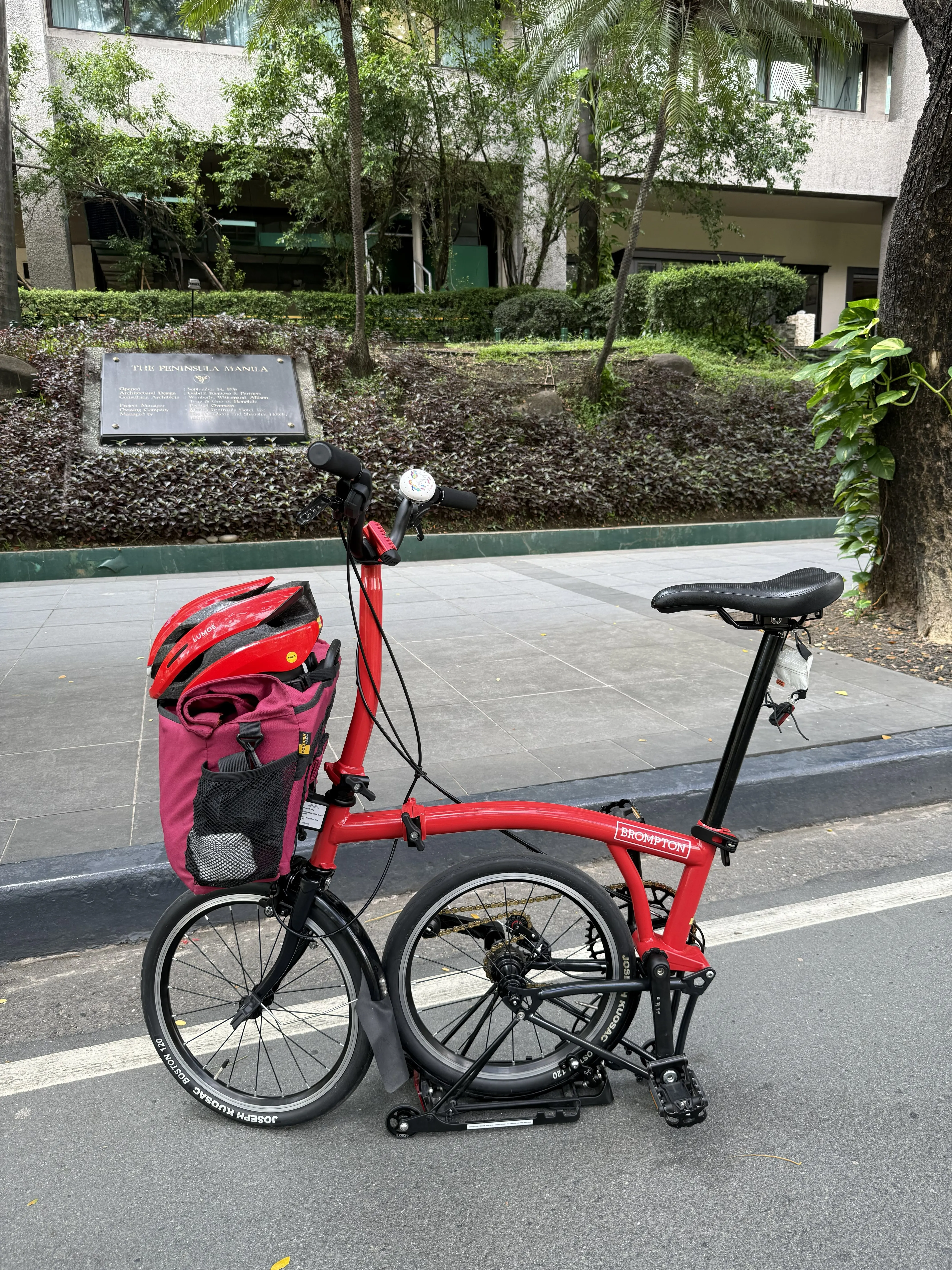
- my bag here is a GO FAR Large Bromp bag I bought from Bikeary, though I don’t think they sell it on their store anymore
- I also have a LUMOS Ultra MIPS helmet that has seen better days lol
📨 Mail Client
📮 Mail Server
- Standard Gmail or Outlook / Microsoft 365
📝 Notes
- Obsidian with a Sync subscription for the most convenient way to use my personal vault on Mac and Linux (read more here)
- also using it with the following plugins:
✅ To-Do
- Tasks or making an Event in my personal Google Calendar
📷 iPhone Photo Shooting
- From the lock screen, swipe to the left to open the Camera
- press the ✨ Camera Control ✨ white button on my iPhone 16 Pro
🟦 Photo Management
- Photos backed up on iCloud
- Google Photos
📆 Calendar
- Google Calendar
📁 Cloud File Storage
- OneDrive (since I pay for a Microsoft 365 Subscription shared with my parents)
- iCloud
📖 RSS
- I recently downloaded feeed on my phone and Liferea on my Linux machine!
- I am subscribed to Figma’s Release Notes RSS Feed for FoFPH needs
🙍🏻♂️ Contacts
- Apple Contacts backed up in iCloud
- I did attempt to list people down in Obsidian too… and I’m slowly trying to update it to make it make sense for me
🌐 Browser
💬 Chat
- Facebook Messenger
- Discord
- Telegram
- Instagram DMs (full of reels… full of memes)
- Apple iMessage for some of my friends who are on iPhone too
🔖 Bookmarks
- Either by keeping it as a tab in my Zen Browser Workspace or dumping it in my Link Dump Obsidian file! 😝
📜 Word Processing
- Technically still Obsidian
- Occasionally still opening Sublime Text 3 though due to muscle memory
- Also Google Docs or MS Word, depending on who I’m working with
📈 Spreadsheets
- big Google Sheets user
📊 Presentations
- Figma Slides since I do have access to it
- Google Slides or MS PowerPoint if working with others
🛒 Shopping Lists
- memory jk
- Telegram messages between me and my partner, or in my Saved Messages xd
💰 Budgeting and Personal Finance
📰 News
- Facebook feed… 🫣
- Threads feed
- BlueSky feed
- Mastodon feed
- We have a channel dedicated to news and current events named
#doomscrollingin Tambayan 404
🎵 Music
- Spotify Premium user
- YouTube Premium user as well, though I haven’t downloaded the actual YouTube Music app yet, I just make use of it on the TV or on my PC
🏡 Blog Hosting
- Coolify (for now… 😏)
🌐 Domains
💻 Coding & Setup
- PC: Dual-boot with CachyOS+niri+Noctalia shell (explained more here) and Windows 11 (that I haven’t touched since I set up Linux lol)
- Terminal:
- on Mac and Linux: Ghostty
on Windows: just plain old Terminal
- Code Editor:
- on Mac
and Windows: VS Code - on Linux: Zed
- on Mac
- My main keyboard: Baseform with Equalz Fruit Smoothie Switches
📢Social Media Networks
- see my Contact page!
✈️ Flight Tracking
- Flighty especially because it has that yearly passport thing!
📚 Reading
- For reading manga: MANGA Plus by SHUEISHA
☁️ Weather
- Ventusky
- Hello Weather for the cute widgets on iOS